Free invoice generator
Fill in your client, your items and your prices, and download a clean PDF invoice or quote. Totals, tax and discounts are worked out as you type, numbers count up on their own, and euro invoices get a QR code banking apps scan to pay. Free, no account.
Free, no sign-up. What you type stays in your browser; the PDF is made there too.
How to make an invoice
About a minute, from a blank page to a PDF your client can pay from.
- Open Your business and add your name, address and how you get paid: an IBAN, a payment link, or both. They are kept for next time.
- Type who the invoice is for, then your items with a quantity and a price. Totals and tax are worked out as you type.
- Check the dates. The number counts up on its own; Due sets the payment terms in one tap.
- Press Download PDF. The invoice goes into History, so you can open it again, copy it for next month, or make the invoice from an accepted quote.
What an invoice needs
What the tool puts on every invoice, and why.
| On the invoice | Why |
|---|---|
| A number that counts up | Each invoice has its own, in order, which tax offices and accountants expect |
| Date and due date | When it was issued and when payment is expected |
| Your details and your client's | Names and addresses, and the company and VAT numbers where they apply |
| Items, quantity and price | What was sold or done, line by line, before tax |
| Tax per rate | Each rate worked out on its own share, after any discount |
| Total and how to pay | The amount due, your bank details or payment link, and a QR code |
France asks for more than most countries: a SIRET, late payment penalties and a 40 € recovery fee on invoices to businesses, among others (Service Public, in French). Choose France under Your business and the tool adds each one, with a checklist of anything still missing.
A QR code your client scans to pay
Fewer typos in IBANs, faster payments.
On an invoice in euros with your IBAN, the tool prints the QR code the European Payments Council defines for SEPA transfers (EPC069-12). Scanned in most European banking apps, it fills in your name, your IBAN, the amount and the invoice number. For dollars, pounds or any other currency, add your own payment link from Stripe, PayPal or Wise and the code opens that instead. esigna never handles the money.
Invoices in France from 2026
What changes with electronic invoicing.
Since September 2026 every French business must be able to receive electronic invoices, and from September 2027 small and medium businesses must send their invoices to other businesses through an approved platform (Service Public, in French). Until then, and always for private clients, a PDF invoice with every required field is a complete invoice.
Invoices in your own brand
The same invoice, on your letterhead.
This tool is the plain version of the invoice in esigna’s Brand Kit. A Brand Kit reads a company’s website, takes its logo, colors and typefaces, and sets every invoice and quote on the company’s own letterhead, beside its business cards, brand guide and email signatures. See what a Brand Kit makes.
The whole signature
Send it with a signature that matches
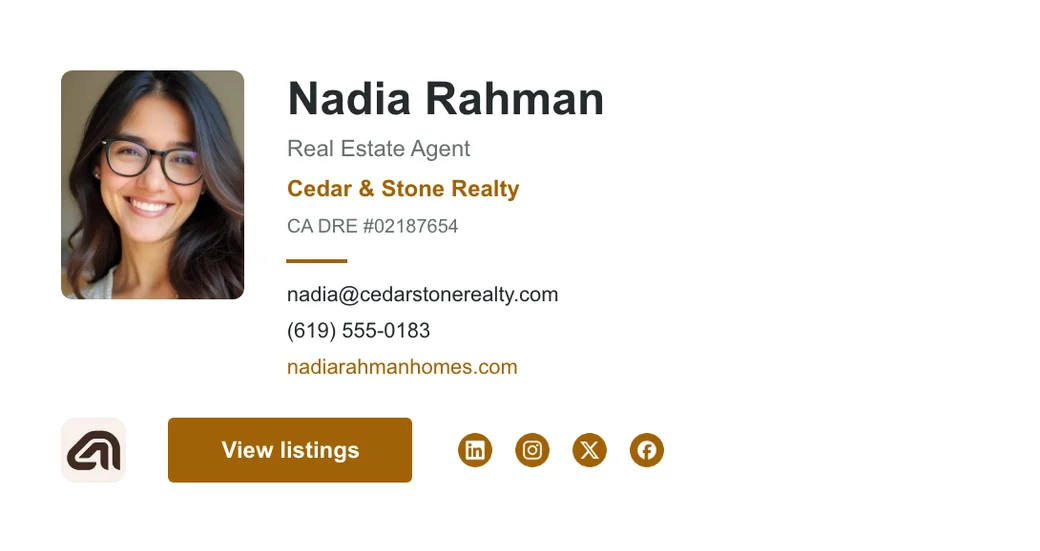
Make an email signature in esigna's free Editor with your name, your logo and your details, in a design that holds up in Gmail, Outlook and Apple Mail. No account needed.
FAQ
Questions
Is it really free?
Yes. Every invoice and quote, the PDF and the QR code are free, with no account and no watermark. esigna sells Brand Kits, which set the same invoices on a company's own letterhead, in its typefaces and colors.
Is my information saved?
Only in this browser, so your business details, clients and the next invoice number are there when you come back. Nothing you type is sent to esigna. Clearing your browser's site data clears it.
How does the bank transfer QR code work?
On an invoice in euros with an IBAN, the tool prints the European Payments Council's QR code for a SEPA transfer. Most European banking apps scan it and fill in your name, your IBAN, the amount and the invoice number, so your client only confirms. For other currencies, add your own payment link (Stripe, PayPal, Wise) and the code opens it instead.
Can I make a quote and turn it into an invoice?
Yes. Switch to Quote, fill it in and download it. When your client accepts, open it from History and press Make the invoice: the same client and lines, an invoice number and today's date.
Does it work for French invoices?
Yes. Choose France under Your business and the invoice carries what French law asks for: your SIRET and VAT number, the late payment penalties, the 40 € recovery fee for business clients, the type of sale, and TVA non applicable, art. 293 B du CGI for a micro business that charges no VAT. A checklist shows anything missing. From September 2027 small French businesses must send invoices to other businesses through an approved e-invoicing platform; until then, and always for private clients, the PDF is a complete invoice.
Can I add sales tax for the United States?
Yes. Choose United States under Your business and the tax column reads Sales tax. Set the rate your state and city charge on each line, or leave it at 0 for services your state does not tax.
Sources
The facts on this page about email apps come from these pages, read on November 8, 2026.