01 · Real estate
Hearth & Key Realty
Open this Kit
Leo Navarro
Real Estate Agent, Hearth & Key Realty
Homes for sale across San Mateo County
- Phone
- +1 415 555 0148
- Website
- hearthandkey.example
 Made with esigna
The page
Brand Kit · Digital business card
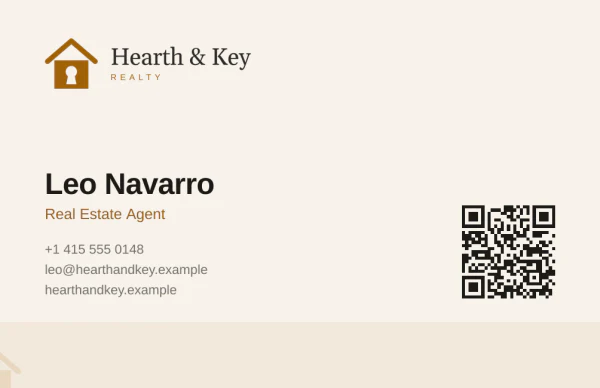
A QR code business card is a printed card with a code that opens a page about you when someone points a phone camera at it. With the Brand Kit, that page matches your card and saves your name, number and email to their contacts in one tap.
Most codes on business cards open a website, and the person still has to type your number in. Here the code opens your digital business card: your card, your photo, your links and a Save contact button, in your logo, colors and type.
The printed card
Real Estate Agent, Hearth & Key Realty
Homes for sale across San Mateo County
Made with esignaThe page its code opens · Try it, it works
How it works
Nothing to install, for you or for them. The camera every phone already has does the work.
iPhone and Android cameras read QR codes on their own. A link appears, and one tap opens it.
Your card at the top, front and back, then your photo, your job, your links and how to reach you.
Save contact adds your name, title, company, phone, email, website and photo to their contacts, the way their phone expects them.
A short form sends you their name and number. You get an email, and they wait in your Brand Kit to call, write to or export.
Examples
Each comes from a sample Kit: the printed card the Brand Kit draws, and the page its code opens. Every button on the phones works.
01 · Real estate
Real Estate Agent, Hearth & Key Realty
Homes for sale across San Mateo County
Made with esignaThe page
02 · Law firm

Partner, Castellano & Okafor LLP
Employment and business law in Boston
 Made with esigna
The page
03 · Family practice

Family Physician, Bayview Family Health
Family medicine for every age in Bayview
Made with esignaThe page
Before you print
A code that will not scan is worse than none. These are the rules printers and phone cameras agree on.
About 0.8 inches. Any smaller and older phones struggle at arm's length. The Brand Kit sizes the code for the card it draws.
Cameras look for dark squares on a light ground. Keep the contrast strong and nothing busy behind the code.
A margin of plain card tells the camera where the code starts. Keep text and artwork from touching it.
Print a code that opens your digital business card, not a file. When your number or job changes, you update the page and every card already handed out stays right.
On the back it gets the room it needs; on the front it is the first thing seen. The Brand Kit has layouts for both.
Try it with two phones, in dim light, from a normal distance. Then order a few hundred, not a few thousand.
In the Brand Kit
The Brand Kit reads your website and draws your business card, email signature, covers and digital business card in one look. Publish the card, and the code on your printed card opens it.
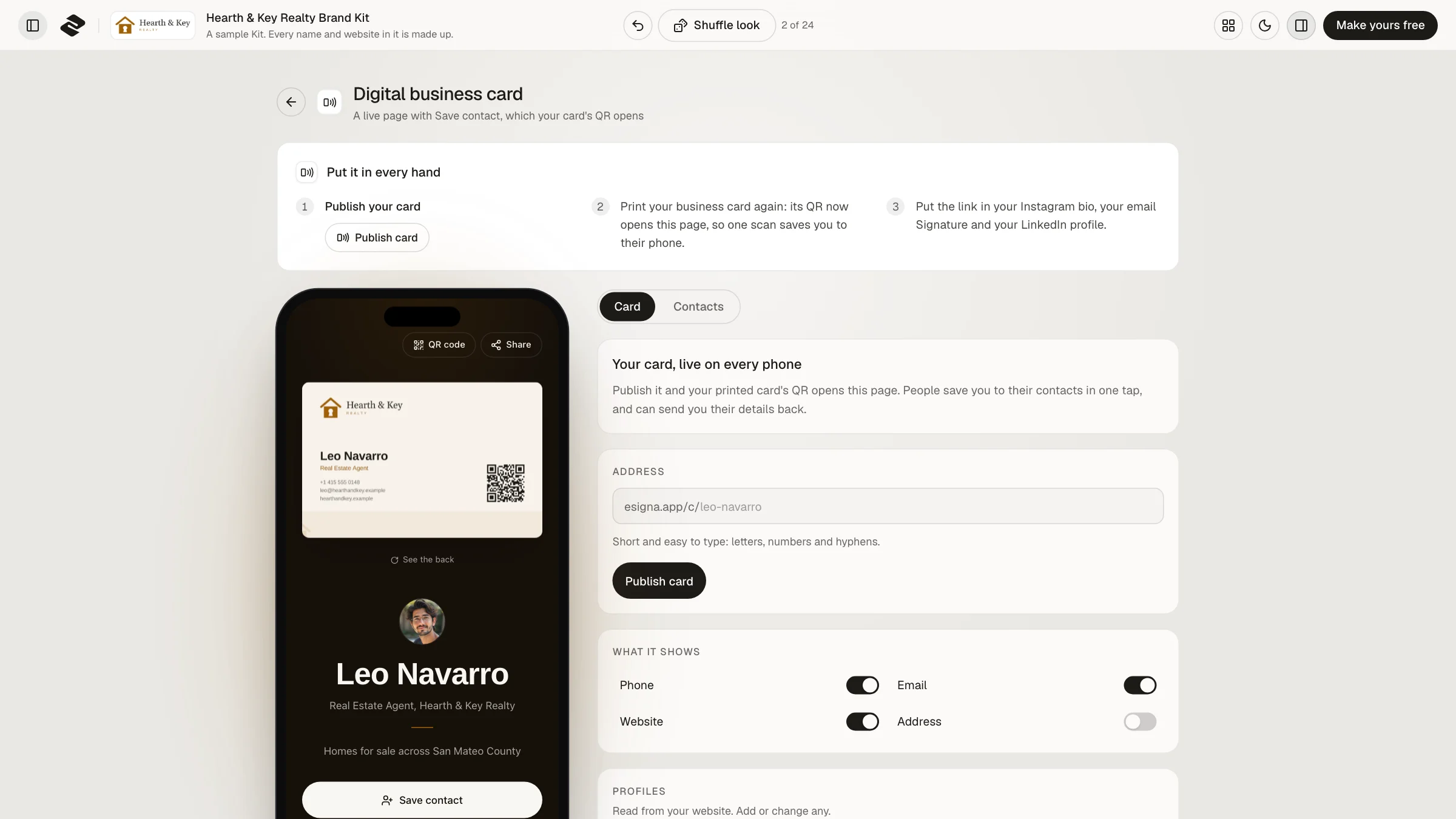
esigna.app/c/your-name, short enough to keep the code easy to scan. It stays yours, even if you change it later.
Pick which details appear, add your profiles and a booking link, and choose a dark or light page.
How many people opened it, how many scanned your printed card, how many saved you, and who sent their details.
Which code to print
Plainly
Make one
About five minutes, most of it choosing a look.
Type your website, or start from one of your saved email signatures. The Kit reads your logo, colors and type.
Your name, job, phone and email go on every piece at once.
Pick your address and press Publish. Publishing comes with the Brand Kit plan, paid once.
Your card's QR code now opens your page. Send the PDF, with its bleed, to any printer.
Making a Kit and seeing every piece is free. The Brand Kit plan, paid once, publishes your card and downloads every piece.
Make your Brand Kit freeQuestions
To a page you control that saves your contact in one tap. A website makes people type your number in, and a code holding a contact file can never change. A digital business card does both jobs and stays up to date.
Yes. The camera on any recent iPhone or Android phone reads the code on its own, with no app, and Save contact adds you to the phone's own contacts on both.
Yes. The Brand Kit downloads a print file at the standard card size, so any print shop or online printer can take it. Print one proof and scan it before you order a stack.
Change it in your Brand Kit and press Update. The code on the cards you already printed opens the new details, since its address does not change.
At least 2 cm, about 0.8 inches, across, with a plain margin around it. The Brand Kit sizes it for the card it draws.
Making your Brand Kit and seeing every piece, the card page included, is free. Publishing the card and downloading the print file come with the Brand Kit plan, which you pay for once.
You see how many people opened your page, how many came from your printed card and how many saved you. You see names only when someone chooses to send you their details.
Yes. The page shows its buttons in the visitor's language, English or French, and your own words as you wrote them.
Brand Kit
Make your Kit free and see your business card and its page in your brand in about a minute.